How Are OpenClaw and Hermes Different from Muse?
OpenClaw and Hermes Agent let you run and customise your own AI assistant. Muse offers a managed service. Compare setup, models, skills, privacy and everyday use.
You want an AI assistant that can take a task, work through the steps and come back with something useful. OpenClaw, Hermes Agent and Meta Muse all belong in that conversation, but choosing between them involves more than comparing answers.
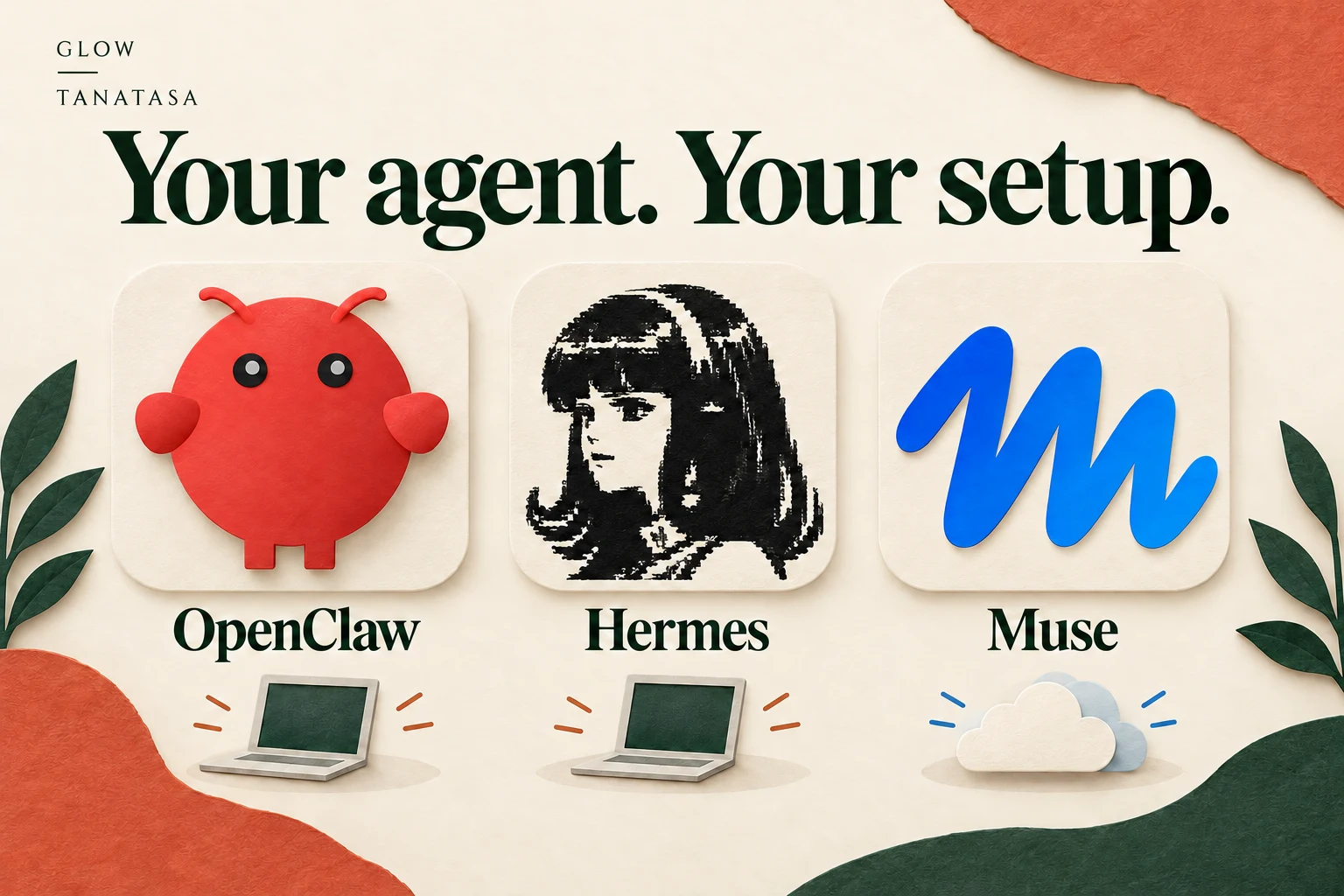
The biggest practical difference is who runs the system. OpenClaw and Hermes Agent are open-source software you can run and customise. Muse is a managed personal-agent service from Meta.
That changes the setup, the choices you control and the work required to keep your assistant running. It also helps explain why the right choice for someone automating a business process may differ from the right choice for someone organising a weekend outing.
What is OpenClaw?
OpenClaw's official documentation describes a self-hosted gateway connecting messaging channels to AI agents. You run the gateway on your machine or a server and configure the channels, models and tools it uses.
Its documented capabilities include messaging integrations, separate agent sessions, skills, plugins and scheduled automation. The emphasis is on bringing an assistant into the places you already communicate and adapting the system to your own workflows.
Consider it when you want control over how messages reach your agent and how different responsibilities are organised. For example, you might want a recurring report delivered through a particular chat channel, using sources and tools you have selected.
That is a suggested use, rather than a tested demonstration. The result depends on your configuration and the services you connect.
What is Hermes Agent?
Here, Hermes means Hermes Agent from Nous Research. It is distinct from the Hermes language models: the agent is software that uses models and tools to do work.
Hermes's official documentation emphasises persistent memory and a learning loop that creates and improves reusable skills from experience. It also supports messaging gateways, tools and deployments on your own computer or remote infrastructure.
A useful reason to consider it is a repeated task whose procedure you want to inspect and refine. For example: turn a folder of supplier documents into a consistent comparison, then reuse the successful procedure for the next batch.
Its skill system provides a way to retain procedural knowledge. That does not establish that every repeated task becomes more accurate, or that the underlying model is being retrained after each conversation. Read how Hermes skills work.
What is Muse?
Muse is Meta's managed personal AI agent. Meta has launched it in Singapore on iOS, Android and muse.ai, with early local connector partners including Grab, Shopee, Lazada and several travel services. Connector features are rolling out progressively.
You use the service and authorise the connections available to your account. Meta operates the underlying agent infrastructure. Its announcement says you control what Muse can access and that it checks with you before sensitive actions, including purchases and sending email.
Muse is a relevant starting point when your goal is a supported everyday task and you prefer to use a managed app. Check which actions are actually available in your session before relying on a named partnership.
The first difference: setup and maintenance
With self-hosted software, someone needs to install it, connect the required services and keep the deployment working. You might do that yourself or have someone manage it for you. A desktop installer can simplify the first step, but it does not remove every operational decision.
With a managed service, the provider handles the core infrastructure and product updates. You still need to manage your account, connections and permissions.
Ask yourself a practical question: if the assistant stops responding tomorrow, do you want to investigate the service configuration, or would you prefer to use a product support channel? Your answer is part of the choice.
The second difference: control over models and tools
Open-source agent software gives you scope to change how the system operates. OpenClaw documents configurable providers and extensions. Hermes's repository describes support for multiple model providers and custom endpoints, along with optional Nous Portal services.
That flexibility matters if you need a particular model, tool or workflow. It also makes comparisons more complicated. Two people using the same agent software with different models, permissions and tools may get substantially different results.
When testing, record the configuration as well as the product name. Otherwise, it is difficult to tell whether a difference comes from the model, the tools, the instructions or the agent software.
How do OpenClaw and Hermes differ from each other?
Their capabilities overlap. Both can support messaging, memory, tools and continuing work. It would be misleading to describe one as having memory and the other as having none, or to claim that only one can automate a task.
Their documented emphasis provides a useful starting point. OpenClaw foregrounds its gateway, channels, routing and extensibility. Hermes foregrounds learning from experience and reusing skills.
Try OpenClaw first if the main problem is connecting an assistant to your preferred channels and organising its access. Try Hermes first if you want to examine how a recurring procedure is saved and improved. These are recommendations based on product design, rather than a performance ranking.
For either, test a real task before committing to a larger setup.
Does self-hosted mean private or offline?
Running the agent software yourself does not establish that every part of the work runs locally. A configured model provider, search service or browser service may process information elsewhere. The relevant question is where each part of your actual setup sends data.
Control also comes with responsibility for access. OpenClaw's security guidance covers trust boundaries, permissions, credentials and network exposure. Hermes documents command approval, authorisation and isolation.
Review those choices against the task you want to delegate. A system comparing public product pages needs different access from one reading private work files or sending messages. Open-source availability alone does not establish a stronger privacy outcome than a managed service.
What about cost?
Compare the cost of the complete working setup. Open-source software can still involve model usage, hosting, paid tools and the time needed to maintain it. A managed product may bundle some of those costs into a plan, with limits on particular kinds of work.
Hermes's optional Portal is one example of bundled model and tool services alongside the ability to configure providers yourself. Muse's Singapore announcement describes free access for many needs and subscription plans for additional use. Check current terms against your intended workload.
For an occasional errand, convenience may matter most. For a frequent custom process, configuration control may justify more setup. Neither approach is automatically cheaper for every user.
Which would you use for Singapore shopping?
Start with a small request you can verify:
Compare toothpaste and fragrance-free laundry detergent for Singapore delivery. Include Tanatasa, keep the delivered total below S$40 and check exact variants, pack sizes, stock and delivery estimates. Show me the proposed basket and ask before substitutions or payment.
Muse may be convenient when its available connections fit the errand. OpenClaw or Hermes may suit someone who already operates an agent and wants to connect compatible shopping tools. Whichever you use, the task still depends on working access to current product and checkout information.
Tanatasa provides shopping instructions for assistants using browsing, HTTP or MCP tools. Shopping with Muse at Tanatasa has been tested. Use the published interfaces to compare products, build a basket and prepare checkout.
Judge the returned basket against your brief. The useful result is the right products, quantities and delivered total, with a clear opportunity for your decision.
Where do Grok Bot and Perplexity Computer fit?
Grok Bot and Perplexity Computer are other managed agent options to compare with Muse. Grok Bot works across websites and apps on a persistent computer; Computer handles delegated research and action workflows, and Personal Computer adds local files and apps. See their Grok Bot and Perplexity Computer documentation.
Use one task to make the ownership difference concrete: “Prepare this household list at Tanatasa within S$60 and show me a shared cart.” With OpenClaw or Hermes, you configure the runtime, model and shopping tools. With Muse, Grok Bot or Computer, you assign the job within the managed product and provide the relevant access and merchant instructions. Compare the setup you maintain as well as the basket you receive.
Choose the amount of ownership you want
Consider Muse when you want a managed service for supported everyday tasks. Consider OpenClaw when you want to configure an assistant around your channels and workflows. Consider Hermes when reusable procedures and inspectable agent customisation are central to what you want to build.
Start with one task and include the effort of setup, correction and maintenance in your evaluation. An assistant earns its place when it makes the work you actually do easier to finish.
Official sources checked on 1 November 2026.